Recommendations
Recommendations shows the sessions, people, and exhibitors that the event recommends for you. The same recommendations also show at the top of some lists, under Recommended for you.
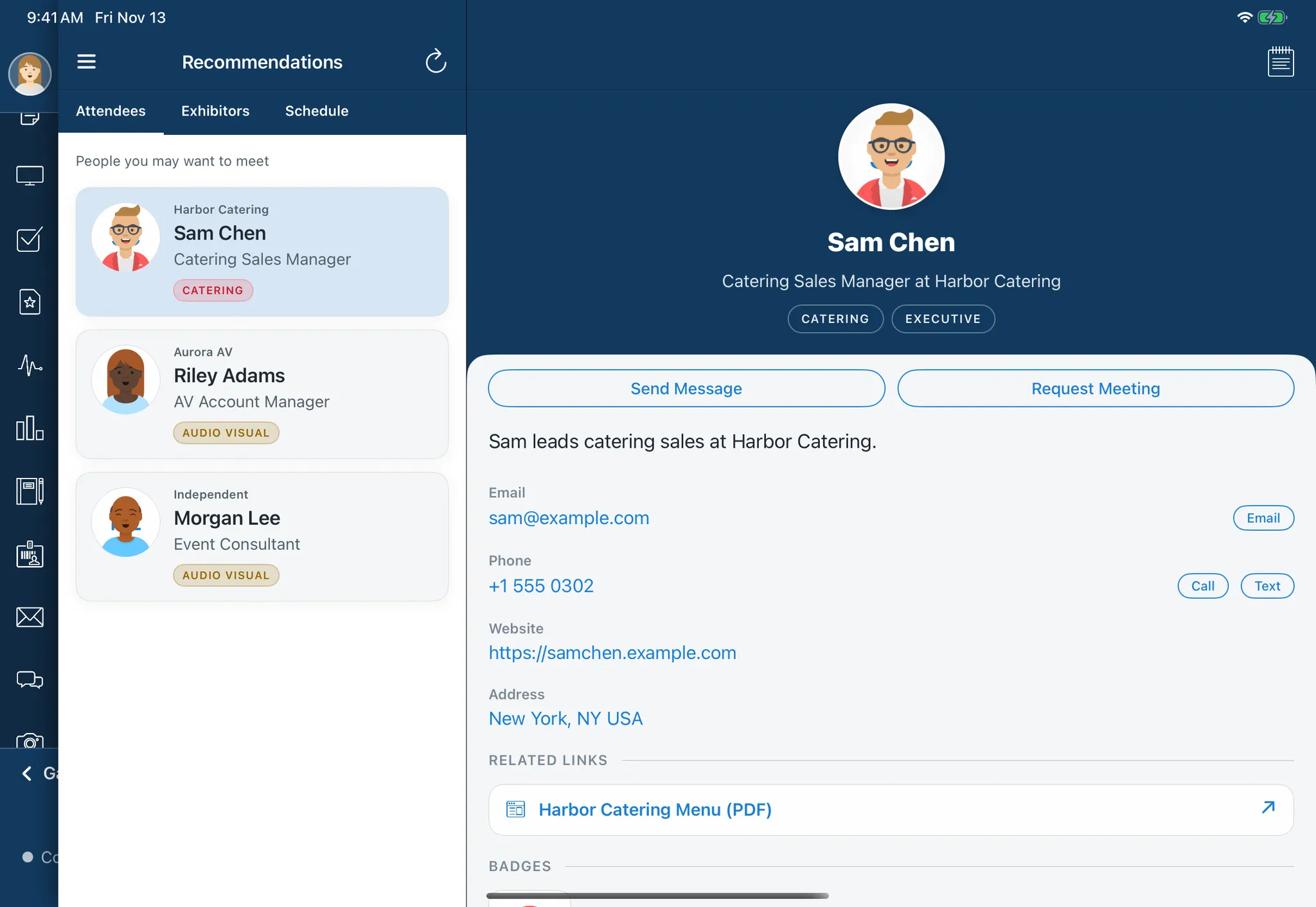
Browse your recommendations
The screen has one tab for each kind of item that the event recommends: people, exhibitors, and sessions. Each tab has the name that your event gives to that feature, for example Attendees. When the event recommends only one kind of item, the tabs do not show.
- Tap a tab, or swipe left or right to go to the next tab.
- Scroll down to see more items in the tab.
The app remembers the last tab that you looked at. The next time you open Recommendations, that tab shows first.
At the top of each tab, your event can show a line of text about the items, for example why it recommends them.
- People show their photo, organization, name, job title, and tags.
- Exhibitors show the same card as in the exhibitor list.
- Sessions show under a header for each day. Sessions that have not ended show first, the soonest first. Sessions with no start time show next, with no day header. Sessions that have ended show at the end of the list, the most recent first.
Get new recommendations
Tap the refresh button at the top right of the screen. While the app gets the new recommendations, a spinner shows in place of the button. The list can then show different items.
If the app cannot get new recommendations, the list does not change.
The app also gets your recommendations again each time it updates the event data, so the list can change while you use the app.
Open a recommendation
Tap an item. It opens the same screen as in its own list: the person’s profile, the exhibitor’s page, or the session. See Attendees, Showcase and Agenda.
The item opens next to the list. The item you opened stays highlighted in the list.
Use the Recommended for you row in other lists
The top of the Agenda, Attendees, and Showcase lists can show a Recommended for you row. It shows the recommendations of that kind from this feature:
- Agenda shows recommended sessions, with the start time and day, the name, and the location.
- Attendees shows recommended people, with the organization, name, and job title.
- Showcase shows recommended exhibitors, with the sponsor level, name, and location. A list shows only the recommended exhibitors that are in that list.
To use the row:
- Swipe left or right on the cards to see more.
- Tap a card to open the person, exhibitor, or session.
- Tap the Recommended for you bar to close or open the row.
When you scroll the list down, the row closes. It stays closed until you tap the bar or open the list again. When you open the row with the bar, the list goes back to the top. If you close the row with the bar, it stays closed the next time you open the list. The app remembers this for each list.
On the Attendees and Showcase lists, the row does not show while you search.
The row shows only when there are recommendations of that kind. See Agenda, Attendees and Showcase.
When there are no recommendations
While the app gets your recommendations for the first time, a spinner shows. If there are no recommendations, or the app cannot get them and has none from before, the screen shows No recommendations yet and We’ll suggest sessions and people as the event gets going.
What you might not see
Your event controls these items:
- The feature itself, and its name.
- Which kinds of items the event recommends: sessions, people, or exhibitors.
- The text at the top of each tab.
- The name of the Recommended for you row on each list.